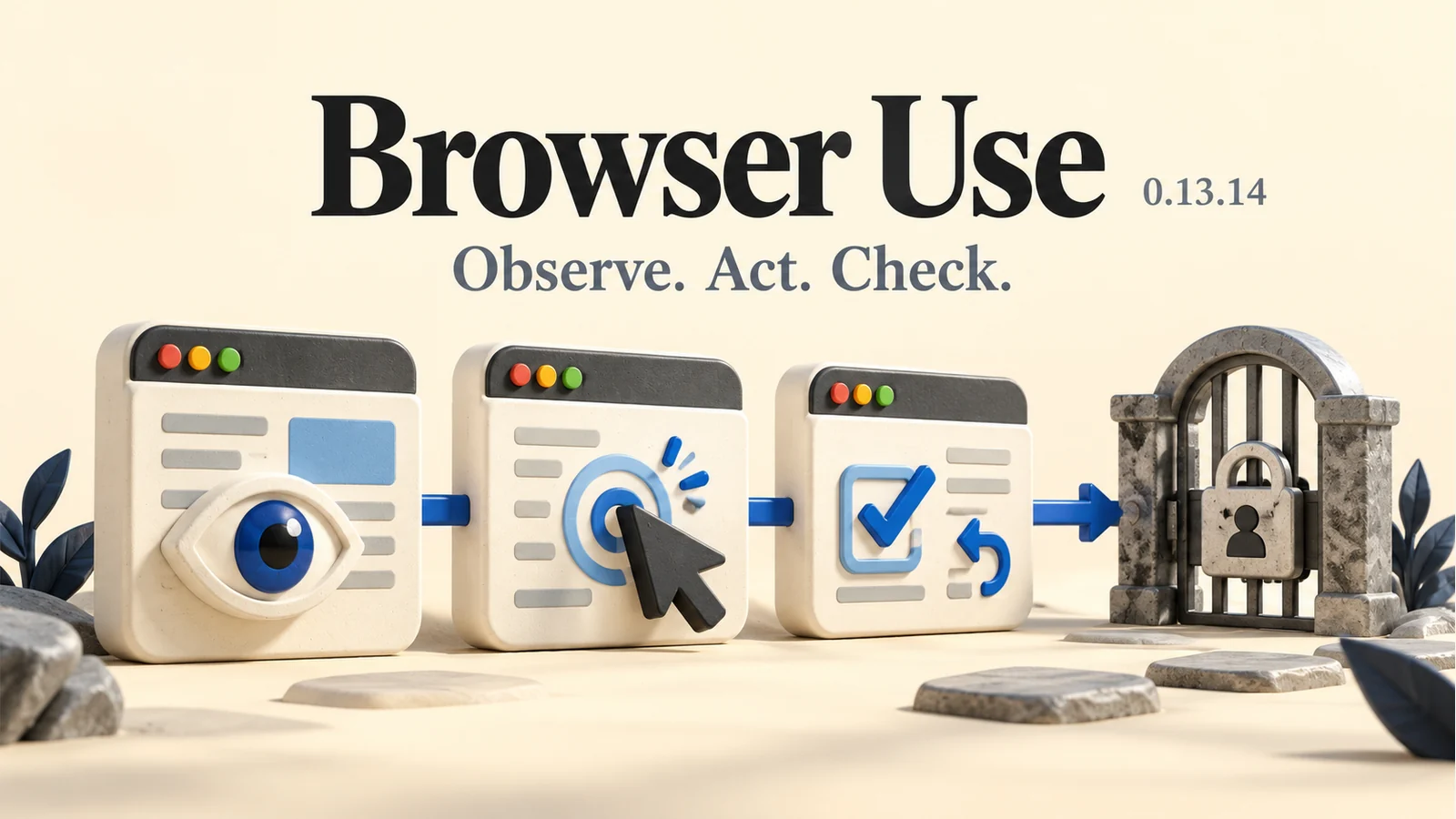
Browser Use 0.13.14 tackles the clicks that go wrong.
The October 26 Python release improves browser observations, display scaling and recovery. The useful question is how well an agent handles the messy middle of a task.
The 30-second bite
- Browser Use published Python version 0.13.14 on October 26, with changes to observations, form state, browser recovery and pointer alignment on scaled displays.
- The project offers local and cloud paths; the OpenAI integration documentation separates a remote browser from Bash running on the application host.
- The library’s MIT licence does not make model inference or hosted browsers free. LLMBites reviewed the sources but did not run the release.
A browser task is more than its final answer
An agent can understand the request and still click the wrong thing. A browser changes underneath it: a page loads late, a form updates, or a screenshot and its click coordinates no longer line up. Browser Use’s October 26 Python release, version 0.13.14, targets several of those less glamorous points of failure. The maintainers list work on bounded page observations, form state, file access and recovery, alongside alignment fixes for scaled displays.
That makes this a useful update to examine through the process, rather than another promise that an agent can do everything online. The release notes describe improvements and project-run validation; they do not establish that a particular shopping, research or booking workflow will succeed. For a reader considering browser automation, the distinction is practical: understanding a task and reliably acting on the right page are separate requirements.
Sources: [1]
Choose the browser and the model separately
Browser Use is not one fixed hosted assistant. Its repository distinguishes a hosted cloud service, a command-line route and a Python library for people building their own applications. The CLI and library can use a local or cloud browser. That choice affects where the browser runs and what infrastructure the user has to maintain; it does not by itself choose the model or define what actions should be permitted.
The useful starting question is therefore narrow: do you want to give an existing agent browser access, or build a workflow around a library? Those are different amounts of responsibility. A person trying to gather a few public links may need very little. A team operating signed-in accounts needs a defined task boundary, an owner for the session and a way to inspect what happened before treating the run as complete.
Sources: [2]
Remote browser does not mean every tool is remote
The current OpenAI integration guide describes a model loop in OpenAI’s SDK, with Browser Use translating tool calls into browser actions. In that documented cloud setup, Chromium runs remotely, while the integration’s Bash helper runs beside the application. Its example requires separate Browser Use and OpenAI credentials. The guide also pins a specific implementation commit, which is a reason to check the exact instructions for the version being evaluated.
That separation matters when someone says an agent is working “in the cloud.” The phrase can hide multiple execution locations. Before giving a workflow access to documents or output folders, map which component can see them. A remote browser and a command running on the application machine should not be treated as one interchangeable box. This is an architectural reading of the documentation, not a security verdict on the product.
Sources: [3]
A sensible first task has an answer you can check
Consider a small, read-only trial: collect the support-page addresses for three products and explain which ones mention a Canadian availability limit. The acceptance criteria can be written before the agent starts. Each link should open, each regional statement should appear on the cited page, and the summary should distinguish an explicit restriction from information that simply was not found.
This kind of task exposes more than whether a final paragraph sounds fluent. A reviewer can inspect whether the agent recovered after a navigation problem, kept the right page in view and returned evidence for the answer. Count a wrong source or an unsupported inference as a failure even if the browser run ended normally. That is our proposed evaluation approach; LLMBites has not executed it with this release.
Open source is a starting point, not the whole bill
The version-specific PyPI page lists Python 3.11 or later within the 3.x series and the MIT licence, and records the October 26 release files. The repository’s FAQ separately explains that model inference and hosted browsers can carry usage charges. A local model and local browser are another route, subject to their own hardware and compatibility requirements. The code licence and the operating cost answer different questions.
For a useful comparison, record the version, model, browser setup, allowed actions and total work reviewed. Then compare the result with the time needed to do the same task manually. The release may improve plumbing without changing the economics of every workflow. The most meaningful outcome is a correct, reviewable result at an acceptable cost—not simply that an agent managed to keep clicking.
Why this matters
Browser automation becomes useful when its intermediate actions are as reviewable as its final answer. Better observations and recovery can matter more to an everyday task than a more impressive demo.
This report covers Browser Use’s October 26, 2026 release and documentation checked October 29. LLMBites did not install the package, run an agent or reproduce the maintainers’ validation. Features, integration instructions and service pricing may change.
Sources & reporting
- 01Browser Use 0.13.14: Python agent and integration updatesBrowser Use on GitHub · Oct 26, 2026
- 02Browser Use README at version 0.13.14Browser Use on GitHub · Checked Oct 29, 2026
- 03OpenAI browser automation with Browser UseBrowser Use documentation · Checked Oct 29, 2026
- 04browser-use 0.13.14 package metadata and release filesPyPI · Oct 26, 2026
AI-assisted research and drafting. Source-based reporting by LLMBites using the project’s release notes, versioned repository README, integration guide and PyPI entry. The sources share a project origin; their agreement is not independent performance corroboration. The trial and acceptance criteria above are LLMBites analysis, not a completed test.
Spot a mistake? Request a correction.